Smart Scan
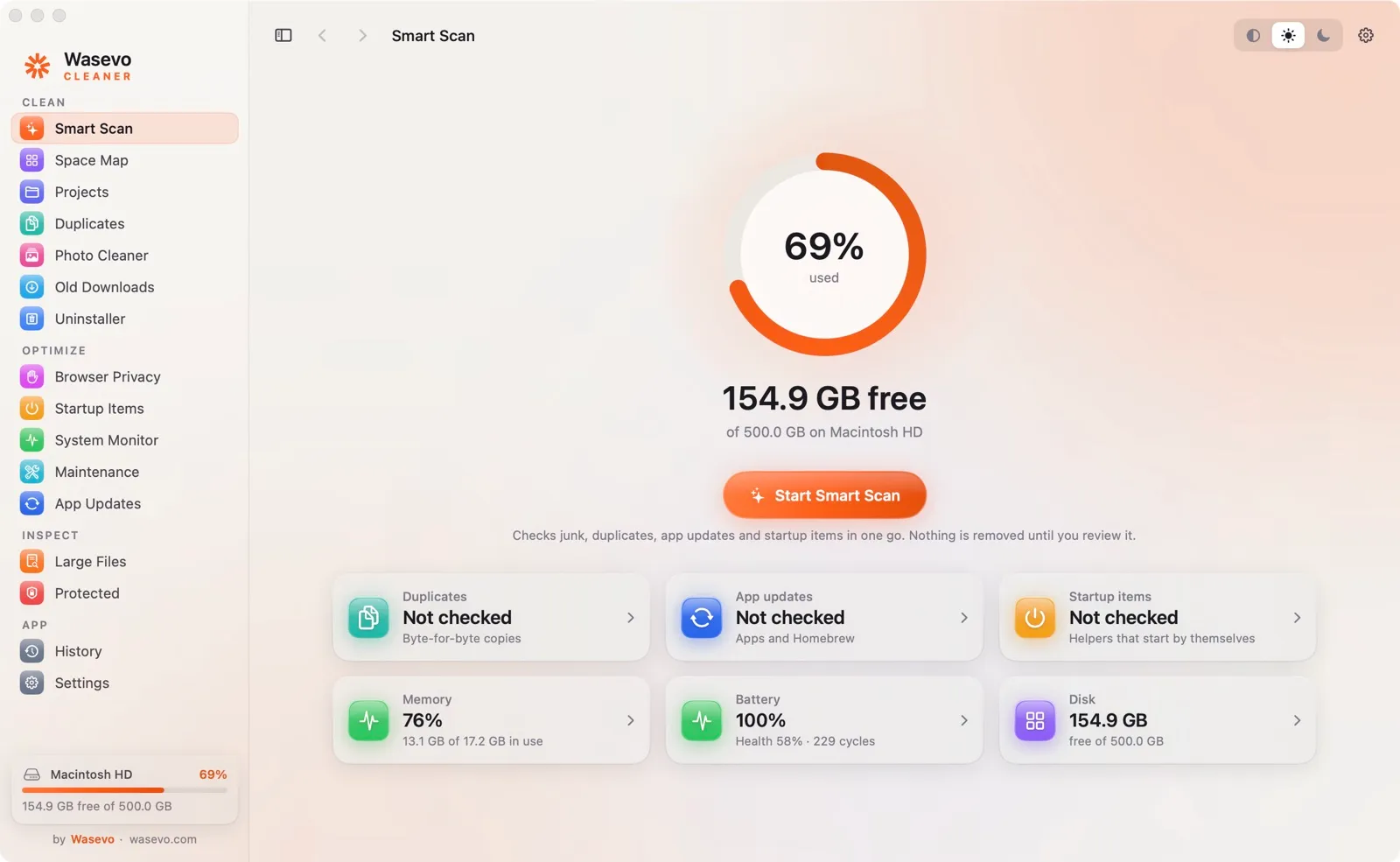
One scan checks junk, caches, duplicates, app updates and startup items, grouped into categories you can tick on and off. Nothing is removed until you review it.
Free up disk space on your Mac in a few clicks. Clean caches, duplicates and old apps, find space hiding in System Data, and clear every project's build folders with one button. Built for everyone, with extra care for developers.
When a Mac says storage is almost full, the cause is usually a short list: old project build folders, package manager caches, duplicate downloads, near-identical photos, and apps you deleted that left gigabytes behind. Many cleaners miss these, or are far too eager and offer to delete things like Docker data, database files or Android emulators as junk.
Wasevo Cleaner works the other way round. It only offers known locations that can be rebuilt, shows the real size of everything it finds, and sends personal files to the Trash so you can put them back. It is free under the MIT license, with no account, no subscription and no tracking, and the source is public so you can read every line that touches your disk.
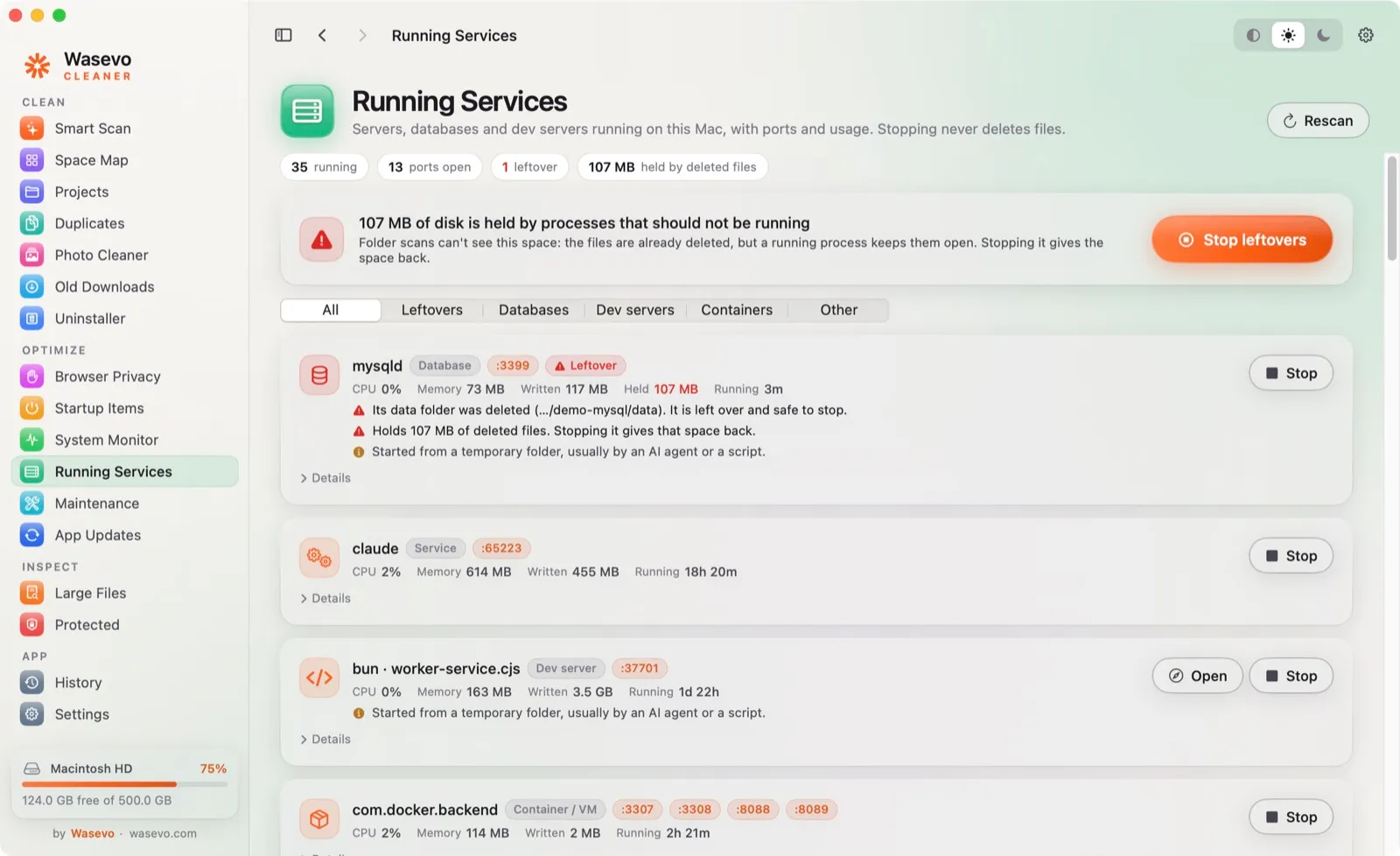
It started as a fix for our own Macs, where npm caches, node_modules and build folders kept filling the disk and someone had to ask an AI assistant to clean it up every week. Then one night a MacBook lost 95 GB while it slept. A leftover test database, started by an AI coding agent, had written a 95 GB log after its folder was deleted, so no folder scan could see the space. Wasevo Cleaner now finds exactly this kind of problem.
One scan checks junk, caches, duplicates, app updates and startup items, grouped into categories you can tick on and off. Nothing is removed until you review it.
Every local server, database, dev server and container on your Mac, with its ports, CPU, memory and how much it has written to disk. It flags leftovers: processes running from a deleted folder, and processes holding deleted files. Stop them in one click, without hunting for which process is using a port. Stopping never deletes files, and macOS system processes are never touched.
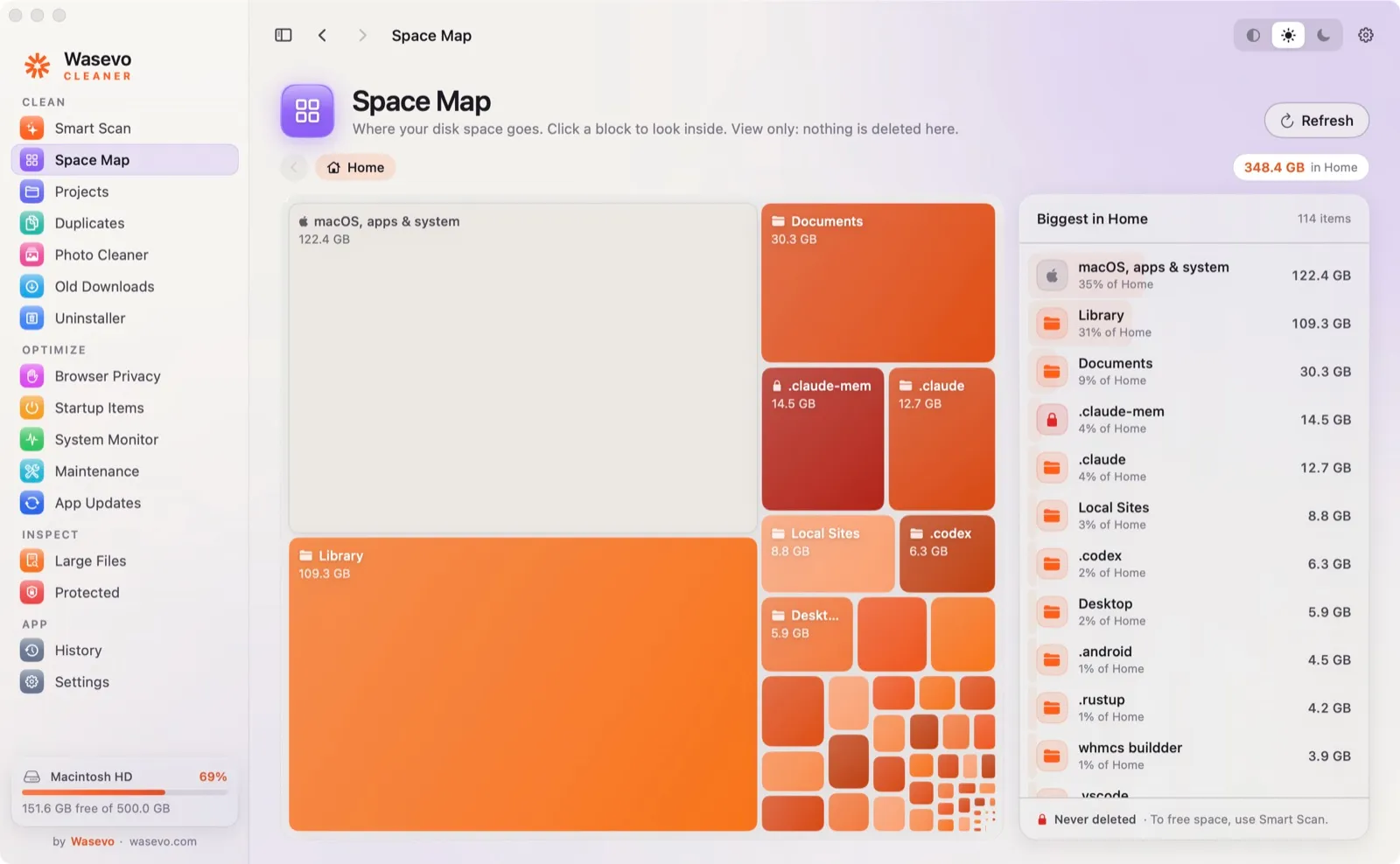
A treemap of your home folder. Click any block to see where the disk space went. View only.
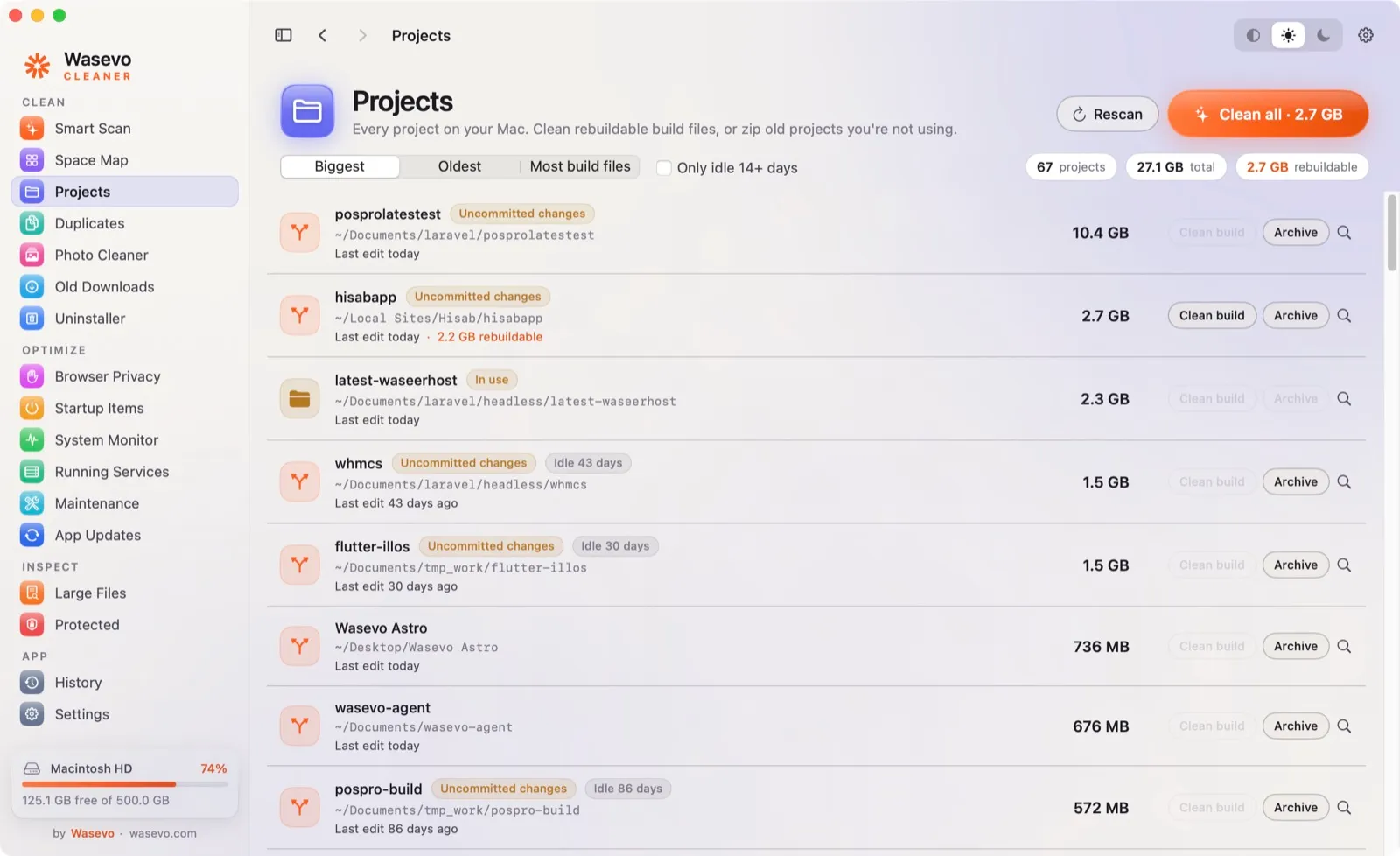
Every code project with its size, last edit and git status. Clean the rebuildable build files of every project at once, or only projects you have not touched in 14+ days. Supports node_modules, Rust target, .next, .nuxt, PHP vendor, Python .venv, Gradle and Android build, Swift .build, Flutter, CocoaPods, Angular, Parcel, Expo, Elixir, Zig and CMake. Each is offered only when its lockfile or project file can rebuild it, and never when it is committed to git. Old projects can be zipped to an archive.
Finds files that are byte for byte identical in Downloads, Desktop, Documents, Pictures, Movies and Music. You choose to keep the oldest or newest copy. Duplicates go to the Trash, so you can put them back.
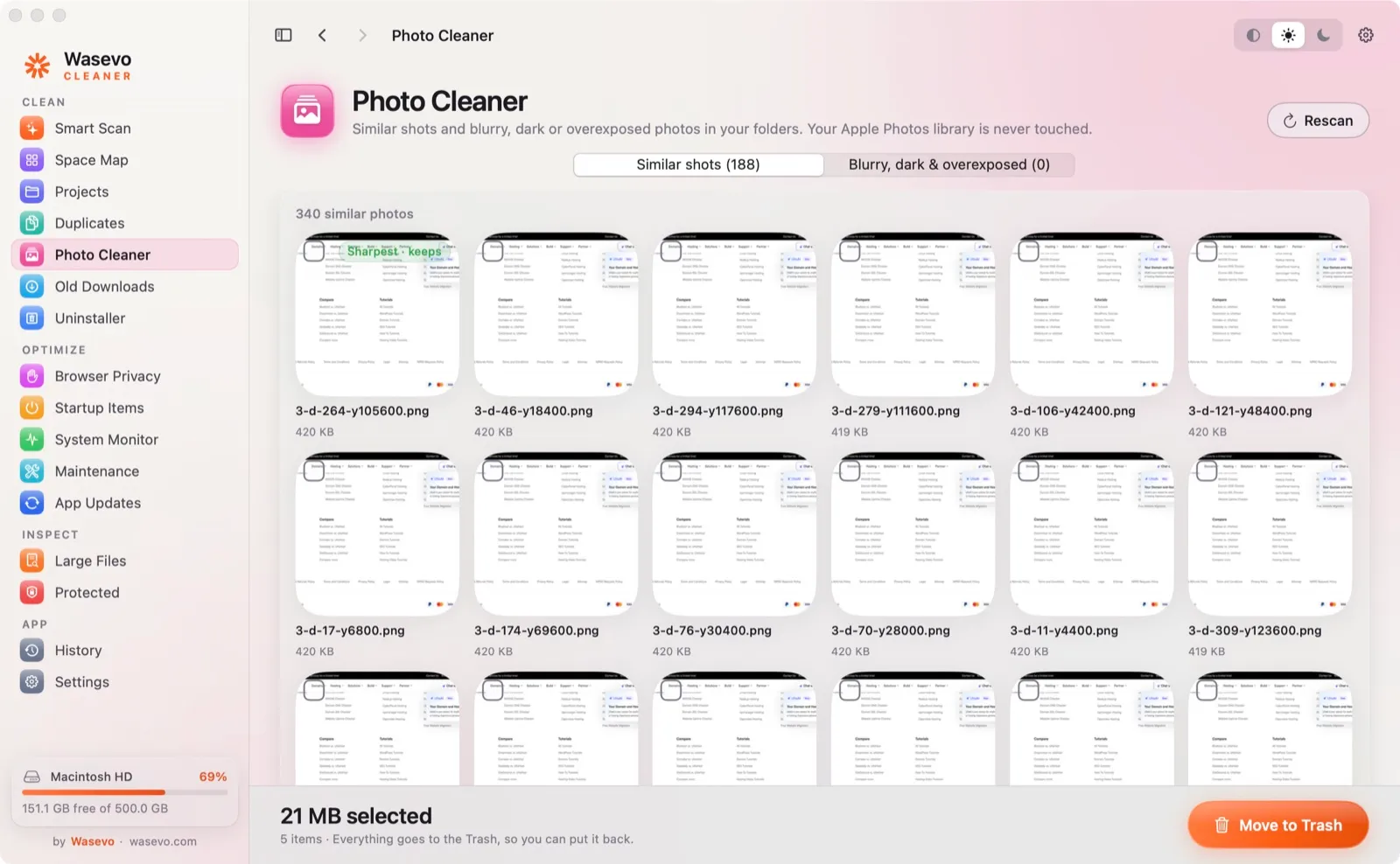
Groups similar shots and keeps the sharpest, and finds blurry, very dark or overexposed photos. Your Apple Photos library is never touched.
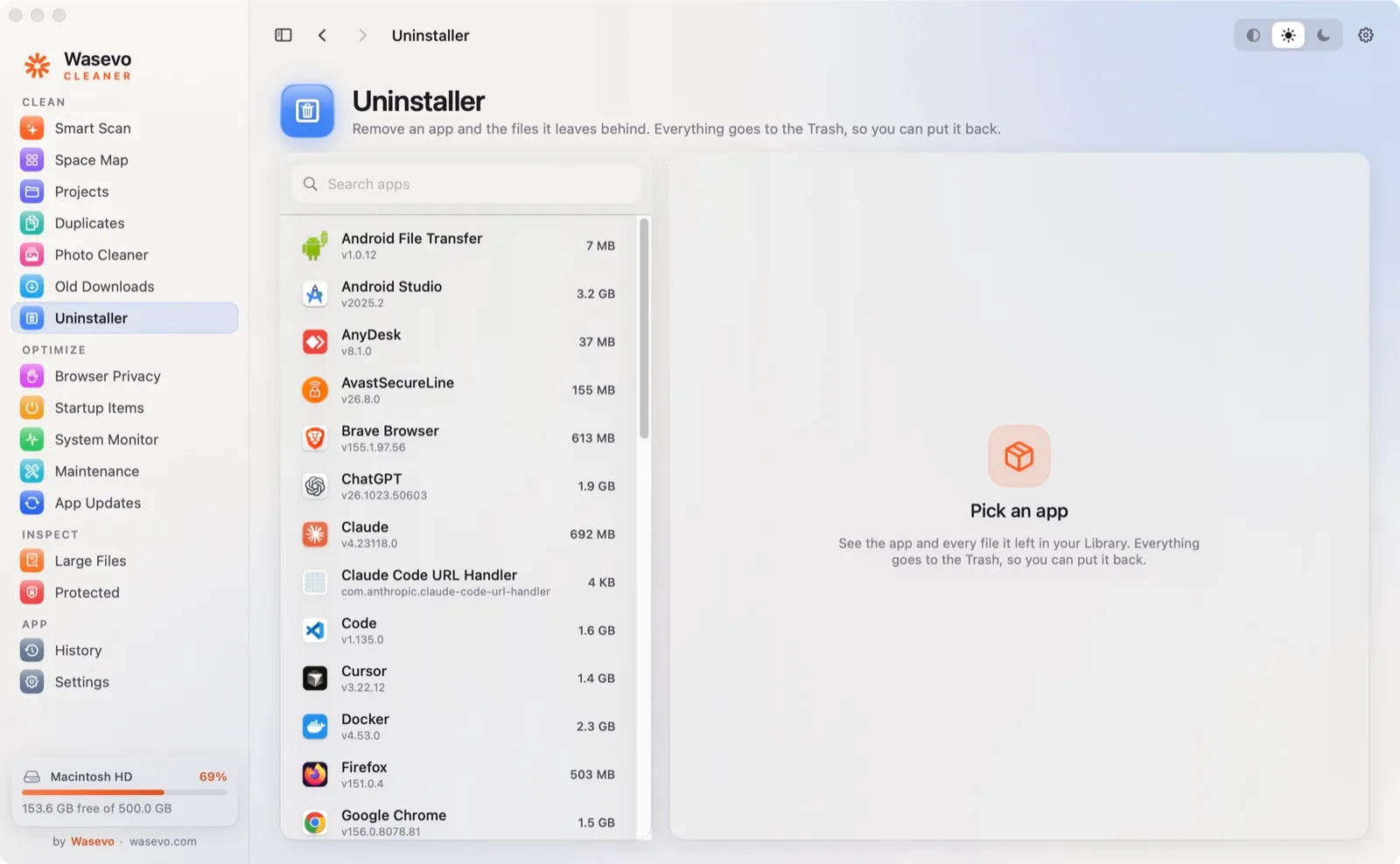
Removes an app plus the caches, settings and containers it leaves behind. Always to the Trash, never while the app is running, never Apple apps.
Clears the npm cache and the caches of Yarn, Bun, Composer, uv, Cargo and Gradle, plus Xcode DerivedData, Playwright browsers, and old VS Code, Cursor and Windsurf extension versions that the editor already replaced. Opt-in cleanups for the Go module cache and the Dart and Flutter package cache use each tool's own command.
Wasevo Cleaner checks GitHub Releases once a day. One click downloads the new version, checks it against the SHA-256 GitHub publishes, confirms it is really Wasevo Cleaner and really newer, then swaps it in. You can turn checks off or skip a version.
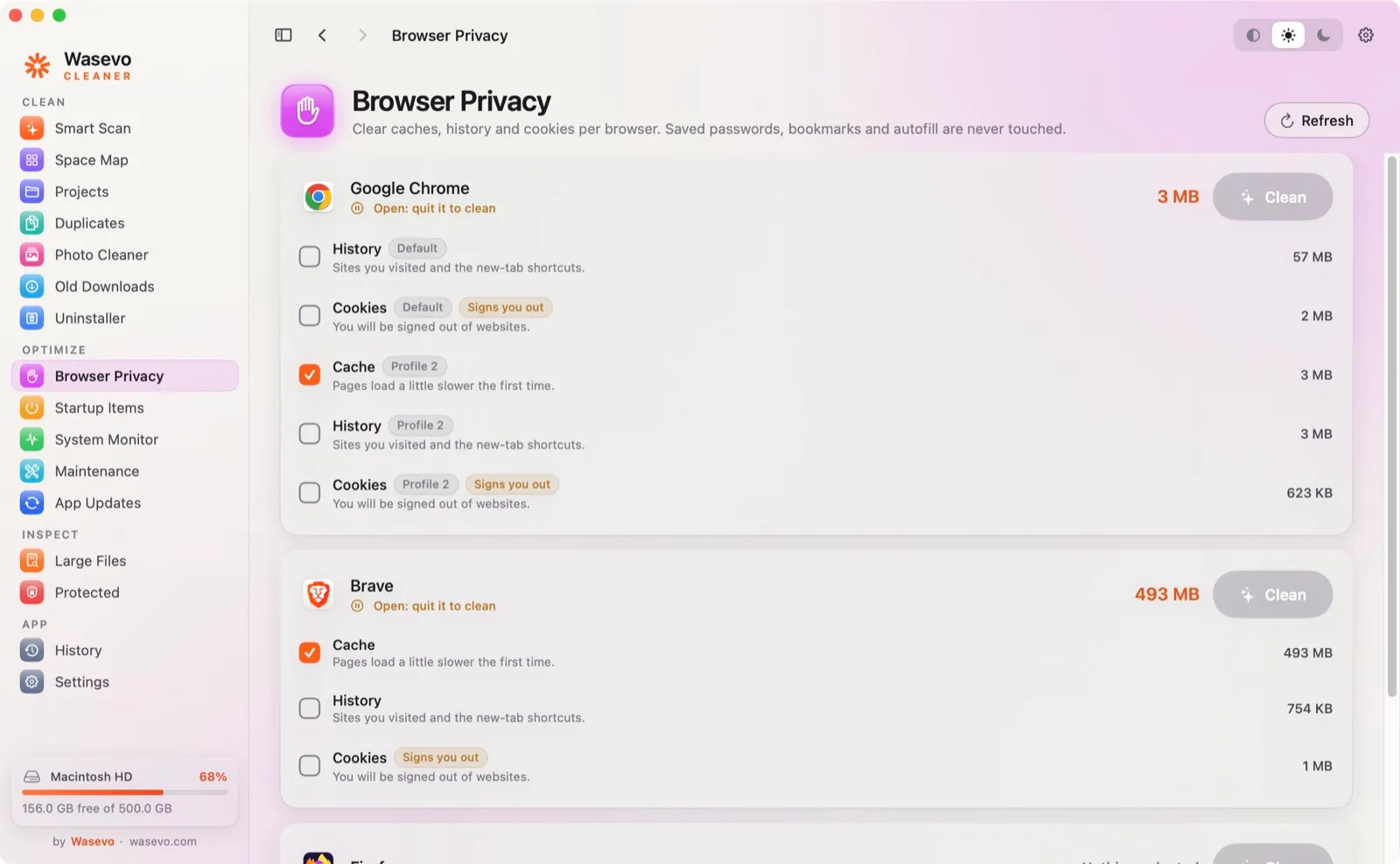
Clear cache, history and cookies per browser and per profile for Chrome, Brave, Edge, Arc, Vivaldi and Firefox. Saved passwords and bookmarks are never touched.
Helpers and agents that start by themselves. Turning one off is fully reversible.
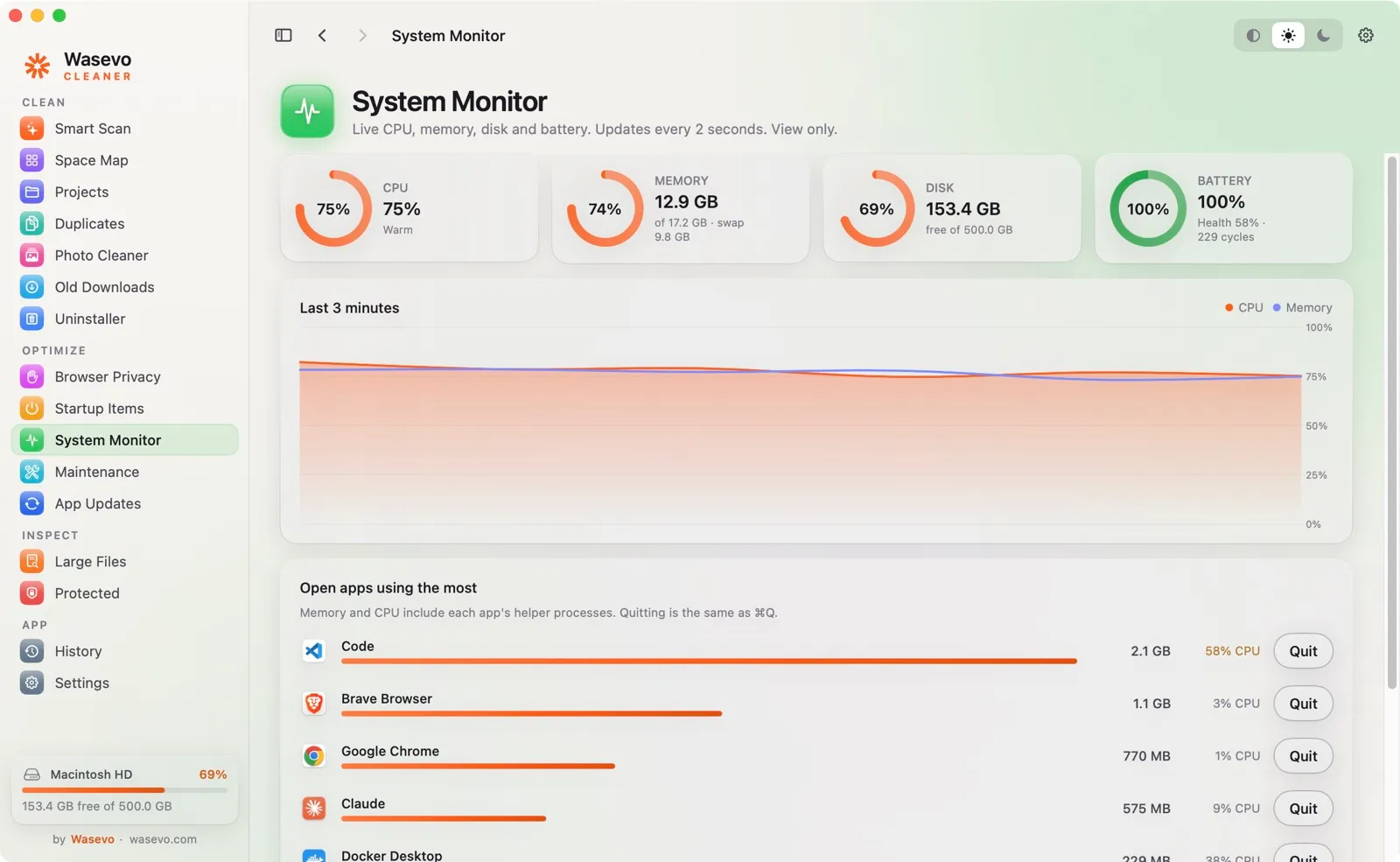
Live CPU, memory, disk and battery health, plus the apps using the most. A menu bar free-space monitor is included.
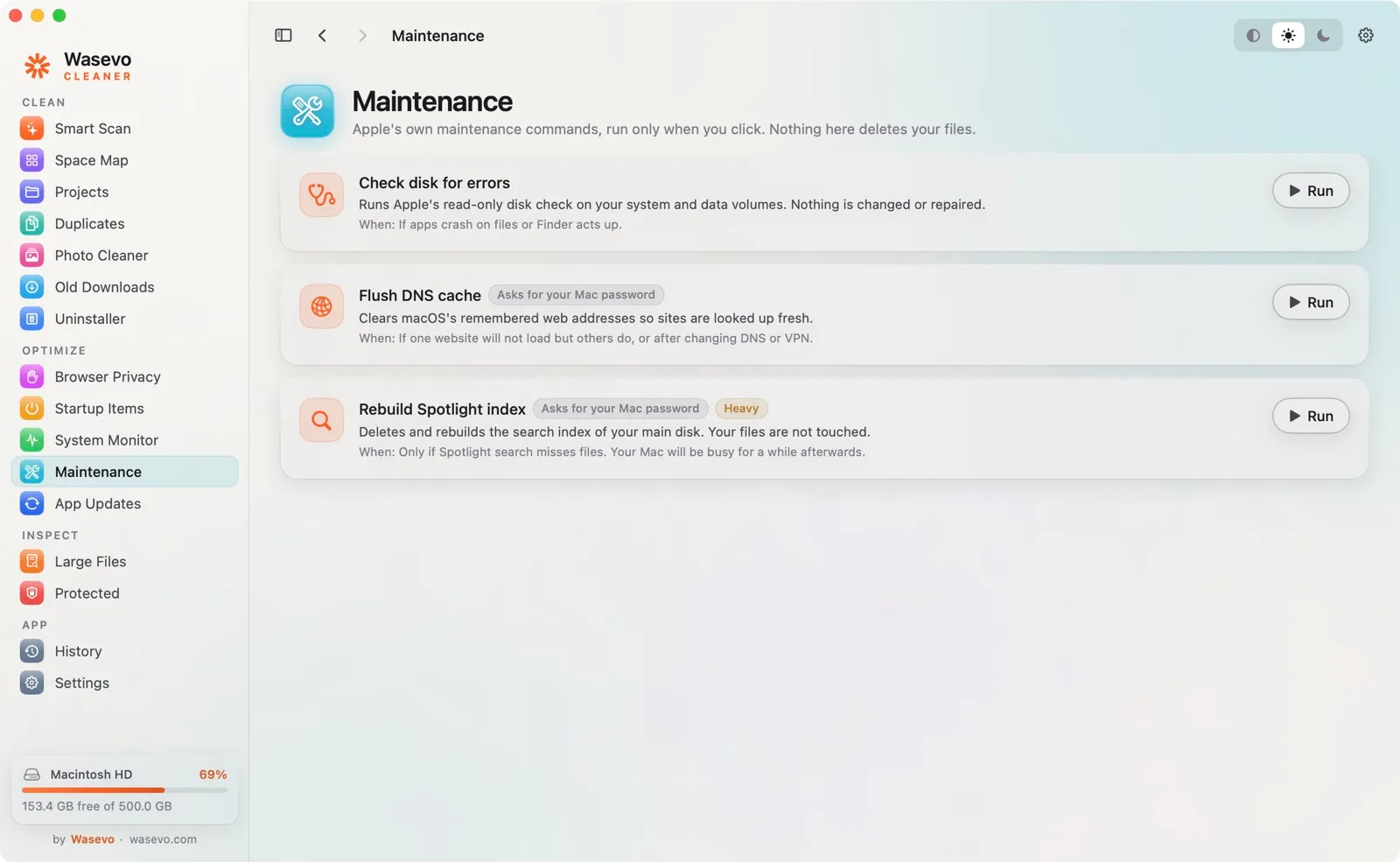
Apple's own maintenance commands in one click: check disk, flush the DNS cache and rebuild the Spotlight index.
Your biggest files with their real on-disk size, and large downloads you have not opened in months.
Every deletion, trash and skip is written to a log, and personal files can be put back from the Trash.
When a Mac says storage is almost full, macOS often blames "System Data". That bucket holds everything Storage settings cannot put in a category: caches, logs, developer build files, old app leftovers, and sometimes space held by processes that should have stopped long ago. If your Mac storage is full and you cannot see why, check each of these.
To check for hidden space yourself, open Terminal and run: lsof -nP +L1. It lists deleted files still held open by a running process, with their size. Wasevo Cleaner runs this check for you in the background and tells you when 2 GB or more is held.
| Category | Examples |
|---|---|
| System and app caches | User caches (Apple caches skipped), the Chrome on-device AI model, Google Updater downloads, VS Code installer cache, leftover browser update copies |
| Developer caches | npm, uv, Bun, Composer, Yarn, Cargo registry, shared Rust targets, Playwright and Puppeteer browsers, Gradle, Xcode DerivedData, Arduino archives, old VS Code, Cursor and Windsurf extension versions |
| Project build files | node_modules, Rust target, .next, .nuxt, .turbo, .svelte-kit, PHP vendor, Python .venv, Gradle build, Swift .build, Flutter build and .dart_tool, CocoaPods Pods, Nuxt .output, Angular, Parcel and Expo caches, Elixir, Zig and CMake. Only when the lockfile or project file that rebuilds them is there, and never when committed to git |
| AI tool caches | Claude, Cursor and Windsurf caches, Gemini CLI temp files, old Claude Code and Codex sessions (opt-in), Hugging Face models unused for 90+ days (opt-in) |
| Downloads and logs | Crash reports older than 7 days, and old .dmg and .pkg installers (opt-in) |
| Tool-native cleanups | Docker build cache, pnpm store prune, brew cleanup, MySQL binary logs (opt-in), unavailable Xcode simulators (opt-in), Go module cache (opt-in), Dart and Flutter package cache (opt-in) |
Full release notes are on GitHub: https://github.com/Waqasahmedwaseer/wasevo-cleaner/releases/tag/v0.6.0
git clone https://github.com/Waqasahmedwaseer/wasevo-cleaner.git
cd wasevo-cleaner
scripts/build-app.sh --installOpen Wasevo Cleaner and click Start Smart Scan. Review each category, untick anything you want to keep, then clean. Next, open Projects and click Clean all to remove rebuildable build folders, then check Duplicates and Space Map for the biggest remaining wins. Nothing is removed until you confirm it.
System Data is space macOS cannot put in a category: caches, logs, developer build files, app leftovers, and space held by processes that should have stopped. Smart Scan clears safe caches and logs, Projects clears build folders, the Uninstaller removes app leftovers, and Running Services finds processes holding deleted files. Stopping one of those gives the space back right away.
Usually something kept writing while you slept: a log file, a local database, a backup, or a sync tool. If free space vanished and no tool can find the files, a process may be holding deleted files open. Run lsof -nP +L1 in Terminal, or open Running Services in Wasevo Cleaner, which flags these automatically.
Yes. It is open source under the MIT license, with no subscription, no account and no tracking.
It covers the same everyday jobs for free: junk and cache cleanup, a disk usage map, a duplicate and similar photo finder, an app uninstaller, startup items and a system monitor. It adds developer-aware cleanup those apps do not offer: build folders for many languages, developer caches, and running services.
Wasevo Cleaner was built for that case. It knows which build folders and caches can be rebuilt, offers them only when they can be, skips projects you have open, and never touches Docker data, databases or git history.
You can run npm cache clean --force in Terminal. Wasevo Cleaner does it for you as part of Smart Scan, together with the Yarn, Bun, Composer and pnpm caches, and skips it while npm is running.
Open Running Services. Every listening port is shown next to its process. Click Stop to end it. In Terminal, the equivalent is lsof -nP -iTCP:3000 -sTCP:LISTEN, then kill
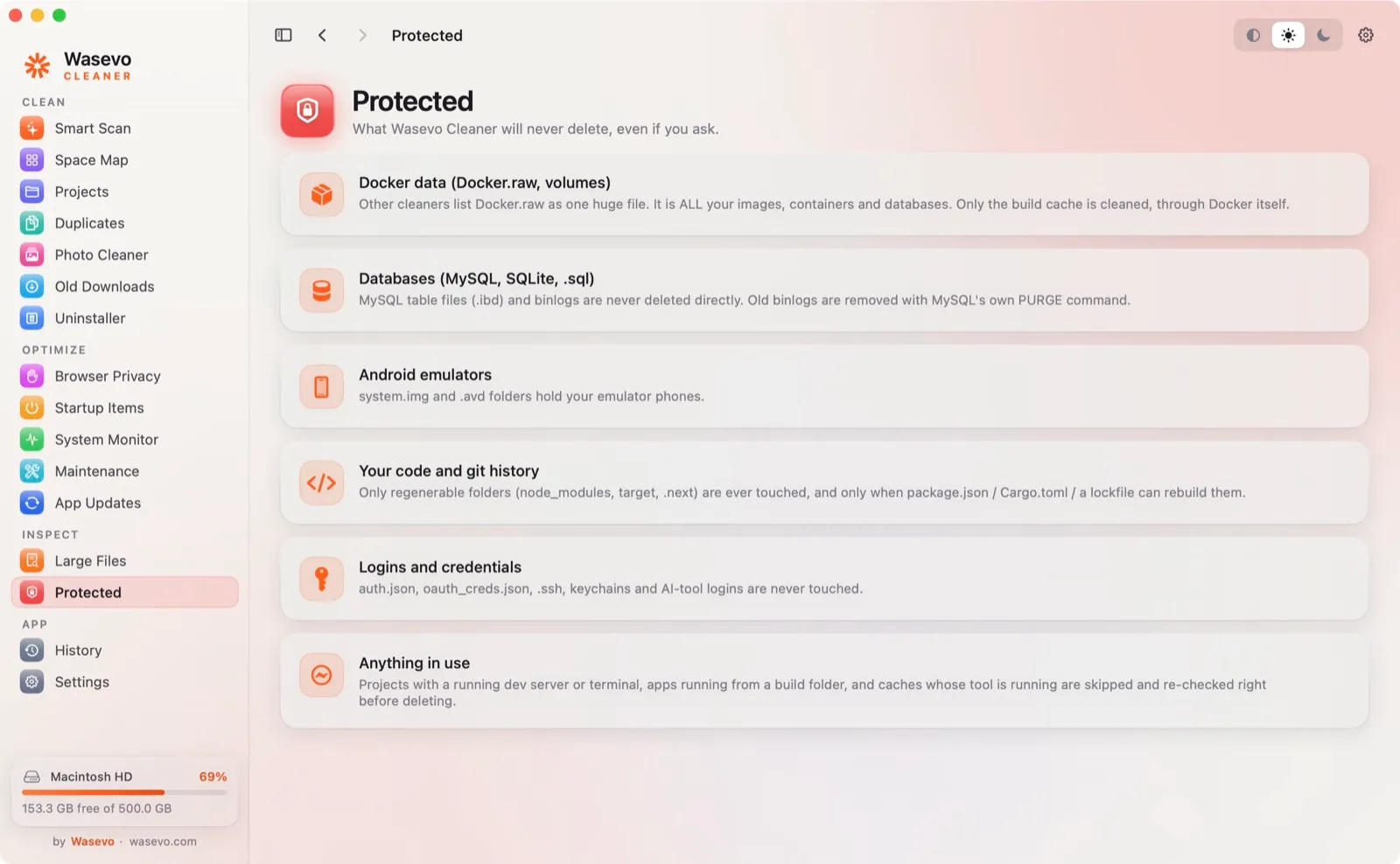
No. Docker data, database files, Android emulators, .git folders, credentials and AI tool logins are on the protected list and cannot be deleted from the app.
No. The photo cleaner only looks at image files in your normal folders.
No. There is no account, no analytics and no upload. The only network request is the daily update check against GitHub, and you can turn it off.
From inside the app. It downloads the new release from GitHub, checks the SHA-256, confirms the version is newer, and swaps it in. Coming from 0.5.0 or older? Download 0.6.0 once, and updates come from inside the app after that.
The app is not notarized yet. Right-click it, choose Open, then Open again. Signed and notarized releases are on the roadmap.
macOS 13 Ventura or later, on Apple silicon or Intel.
The code is free. If you would rather have it installed, customised or built into your product, the same team that wrote it can do the work.
Self-hosted WhatsApp API with multi-session support, REST API, signed webhooks, scoped keys and a dashboard.
WHMCS moduleRegister, renew, transfer and manage nameservers for Spaceship domains straight from WHMCS. Clean PHP, no ionCube.
AI agent skillAn AI agent skill pack for building WHMCS modules faster and correctly.
Free templateA free React + Vite admin dashboard template with a ready-made component set.
A free 15-minute call, then a written scope and estimate. No obligation, no sales script.
Talk to Wasevo AI
Voice · English, Urdu, Hindi
Try the voice agent
Ask about our services, prices, projects or booking a call. Your microphone starts only when you press Start.